BUY WITH CLARITY
Understand your CCTV order before you pay
One clear guide to BuyCCTVs, HD/IP and wireless systems, accessories, installation, service and warranty.
ORDER & SUPPORT COORDINATION
Who is BuyCCTVs.com?
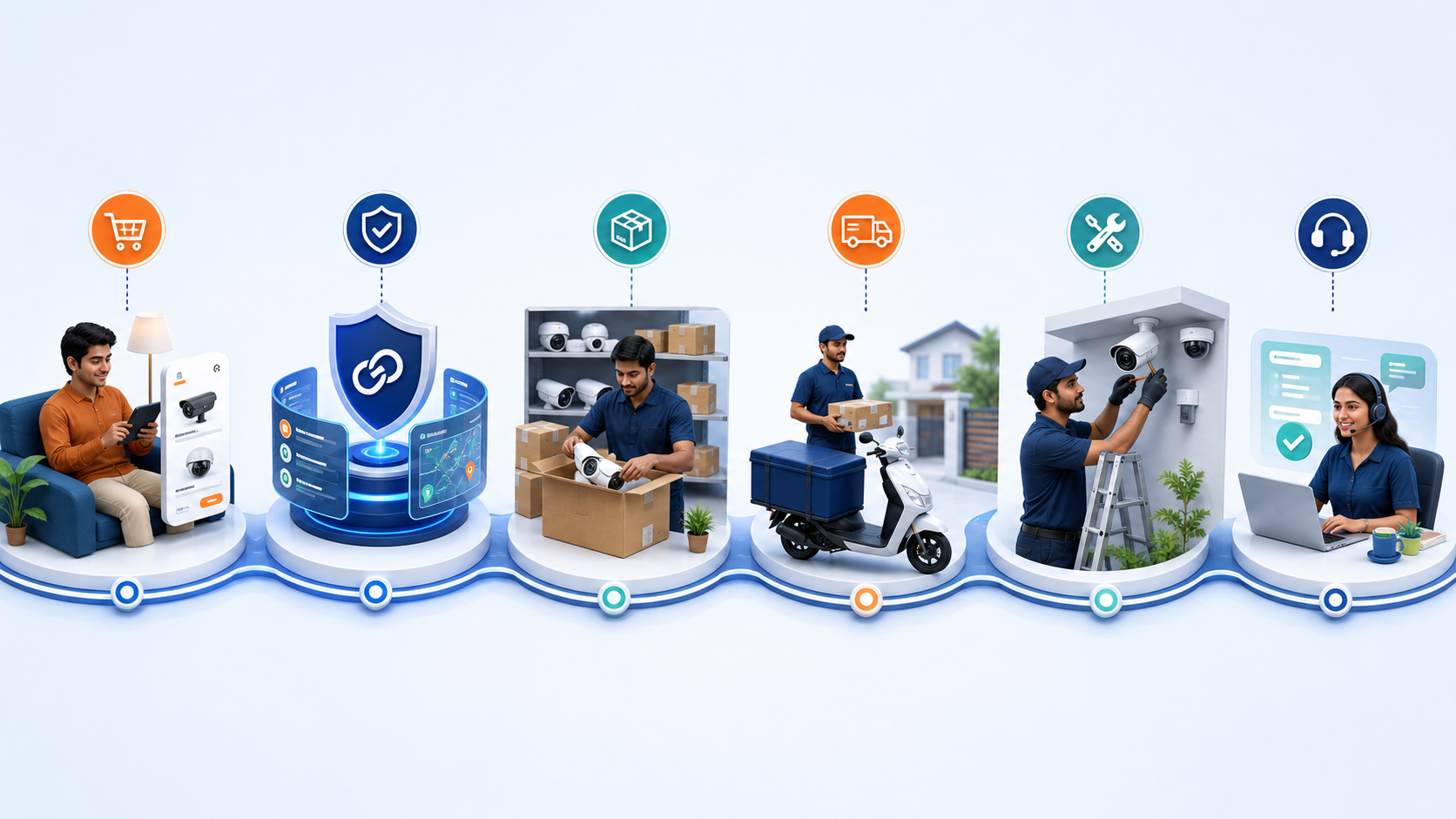
BuyCCTVs.com is your ordering, coordination and support platform. Depending on the order, the listed seller or fulfilment partner prepares and dispatches the products under BuyCCTVs seller terms. We keep the buyer, seller and service network connected and help move the order to completion.
CAMERA SYSTEM GUIDE
How to choose: HD or IP CCTV?
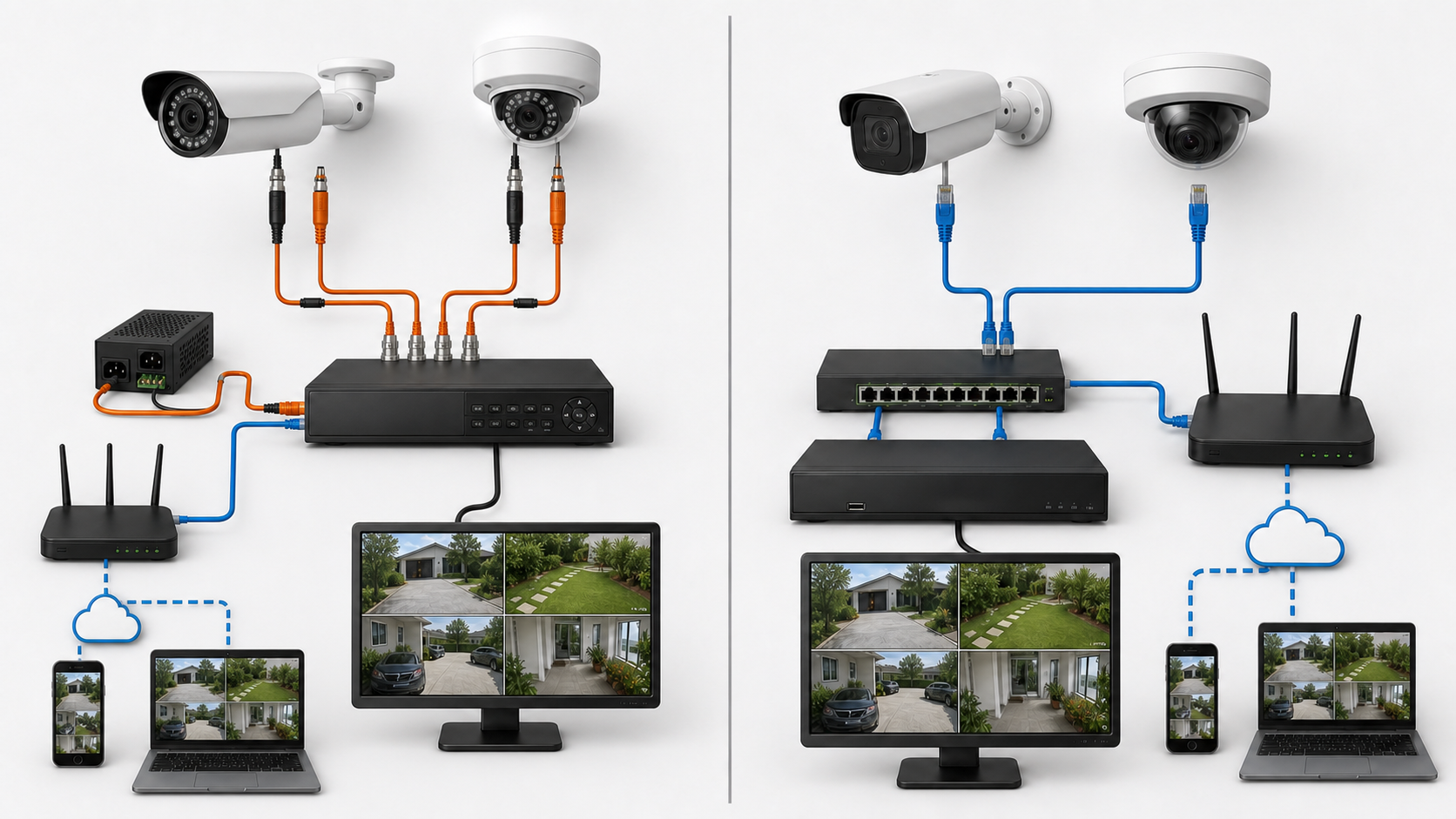
HD analogue + DVR/XVR
Connection: Camera → 3+1/coax cable → BNC video + DC power → DVR/XVR.
Power: A separate CCTV SMPS or adapter normally powers the cameras.
Mobile viewing: A network-ready DVR/XVR can connect to a router for live view and playback through its compatible mobile app.
Best when: Lower initial budget, familiar coax installation or an existing analogue cable can be reused.
IP camera + NVR
Connection: Camera → Cat6/RJ45 → PoE switch or PoE NVR → NVR.
Power: PoE can carry data and power on one network cable.
Mobile viewing: A network-connected NVR or compatible IP camera can provide live view and playback through its supported mobile app.
Best when: You want higher detail, easier expansion, network flexibility and richer smart features.
Important: An NVR is not automatically a PoE NVR. When the NVR has no built-in PoE ports, a compatible external PoE switch is required. A video balun carries analogue HD video over Cat6; it does not convert an analogue camera into an IP camera.
WI-FI, 4G/SIM, BATTERY & SOLAR
How wireless CCTV cameras work
“Wireless” normally describes the data connection—not always the power supply. A Wi-Fi camera may still need a nearby electrical socket and power adapter. Choose the connection and recording method before ordering.
Wi-Fi camera
Connects to a nearby Wi-Fi router, usually on 2.4 GHz. Most models still need continuous mains power. Recording may be on microSD, cloud or a compatible NVR.
4G / SIM camera
Uses a mobile SIM and data plan where broadband is unavailable. Check signal strength, supported network bands, monthly data use and app compatibility.
Battery / solar camera
Useful where cabling and power are difficult. Battery life depends on motion activity, viewing, signal and sunlight; many are designed for event recording rather than nonstop 24/7 recording.
Recording choice
microSD is simple but stays at the camera. Cloud can require a subscription. NVR recording needs confirmed ONVIF/protocol and resolution compatibility—not every app camera supports an NVR.
Signal planning
Walls, floors and distance reduce Wi-Fi quality. Test signal at the exact camera point; use a suitable access point or wired network if the signal is unstable.
When wired is better
For many cameras, long continuous recording or critical reliability, wired PoE IP cameras are normally more stable and easier to manage from one recorder.
ACCESSORY GUIDE
What each CCTV accessory does
Accessories are not random extras. Each one handles storage, power, cabling, internet access, mounting or local viewing.
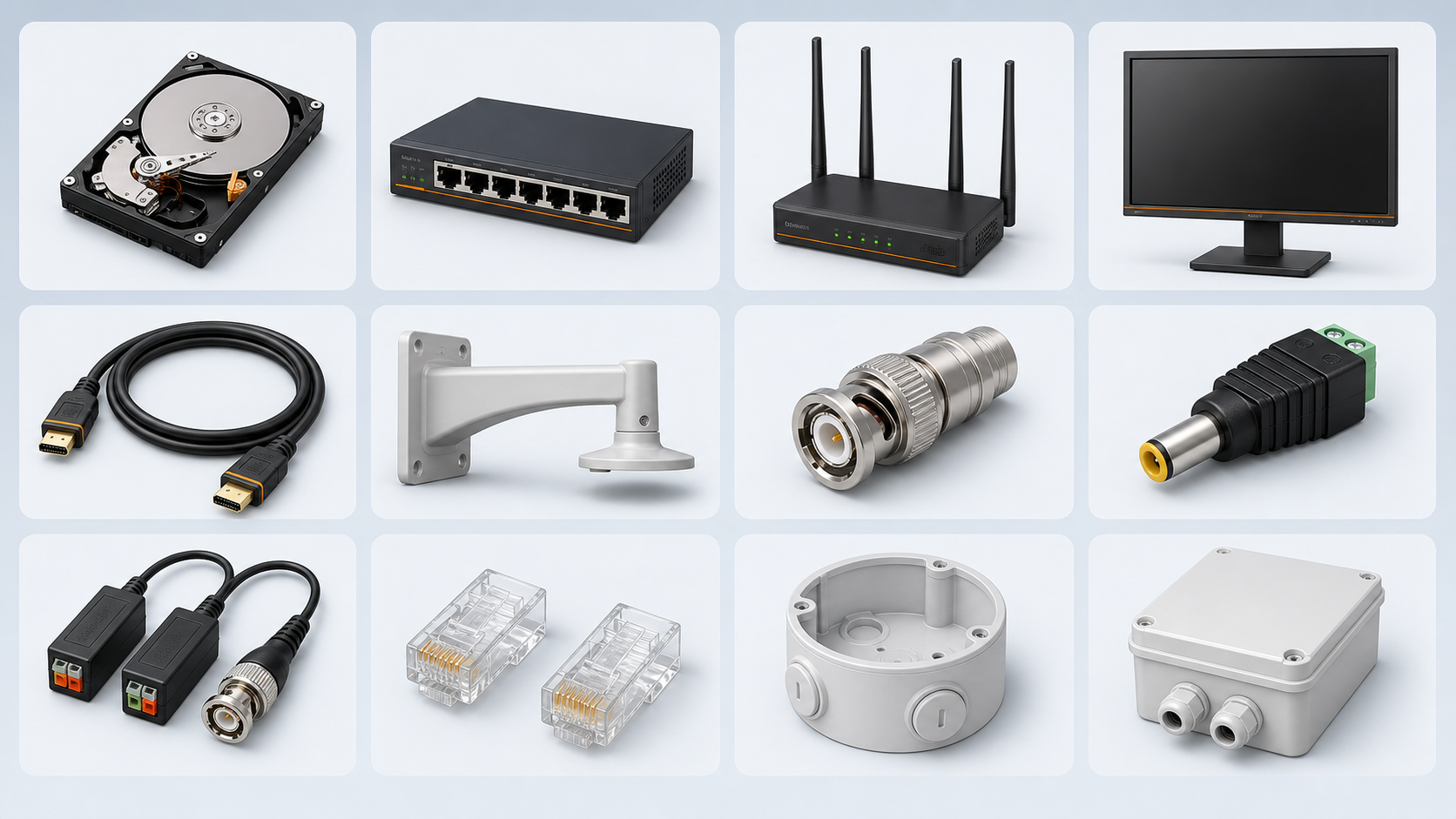
Surveillance HDD
Stores recorded video. Capacity decides how many days of footage you can retain.
PoE switch
Powers and networks IP cameras. Port count and power budget must cover the selected cameras.
CCTV SMPS
Supplies 12V power to HD analogue cameras; capacity should match the camera count.
Cat6 cable + RJ45
Standard network connection for IP cameras. It can carry both data and PoE power.
3+1 cable + BNC/DC
Common HD analogue cable: coax video plus power. BNC carries video and DC carries power.
Video balun pair
Sends analogue HD video over a Cat6 pair. One transmitter/receiver pair is used per camera channel.
CCTV rack
Keeps the recorder, switches, router and power units organised, protected and serviceable.
4G/SIM router
Provides internet for remote viewing where broadband is unavailable; a separate data plan is required.
Monitor + HDMI
Shows live view and playback locally. HDMI connects the recorder output to the monitor or TV.
PVC camera box
Protects cable joints and connector termination near each camera; normally one box per camera.
UPS / surge protection
Keeps the system running briefly during power cuts and helps protect equipment from voltage changes.
LOCAL TECHNICIAN COORDINATION
Installation and service support
Installation
- Share the address, camera count and site requirement.
- BuyCCTVs checks willing, suitable installers in its network.
- You receive the installer price plus a clearly disclosed BuyCCTVs coordination/service charge.
- The scope, cable route, accessories and exclusions are clarified before work begins.
- BuyCCTVs stays available to help the customer and installer complete the work smoothly.
Complaint / paid service
- Share the problem, product details, photos and location.
- BuyCCTVs attempts remote checks and arranges an available service person where needed.
- The technician charge and BuyCCTVs service charge are communicated.
- We coordinate updates and help resolve problems between the customer and technician.
PRE-CHECK BEFORE COURIER
Warranty request process
Before submitting
- Keep invoice/order number and purchase date ready.
- Photograph the model/serial label clearly.
- Photograph the complete product, power supply and cable connections.
- Describe indicator lights, error messages and checks already tried.
- Do not courier a product until the address and eligibility are confirmed.
Still unsure what to select?
Share your camera count, site type and budget. We will help clarify the system and accessories before you order.